Give Claude your API in two minutes
almyty does not replace Claude - it extends it. Point almyty at an API you already run, publish it over MCP, and Claude Code can call it like a native tool. The same gateway works with Cursor, Windsurf, and any other MCP client.
Connect an API
Paste an OpenAPI, GraphQL, or SOAP schema. almyty parses it and generates a typed tool for every operation.
# in the app: APIs → Connect API → paste your schema URL
# tools are generated for you, no wrappers to writePublish a gateway
Group the tools you want and publish them as an MCP gateway. The endpoint is https://api.almyty.com/{org}/{gateway}.
# in the app: Gateways → Create → type MCP → add tools
# your endpoint:
https://api.almyty.com/acme/petstoreAdd it to Claude Code
Point Claude Code at the gateway with the HTTP transport. The app generates the exact command for Claude Code, Claude Desktop, and Cursor - copy-paste. Your key goes in an x-api-key header.
$ claude mcp add petstore \
    --transport http https://api.almyty.com/acme/petstore
# clients send: x-api-key: <your gateway key>Use your API in Claude
Ask Claude to do something that needs your API. It calls the generated tools through the gateway, with auth, rate limits, and audit handled by almyty.
# in a Claude Code session
> look up pet #2 and show its status
  Claude calls get_pet_by_id via almyty → "Rosie", available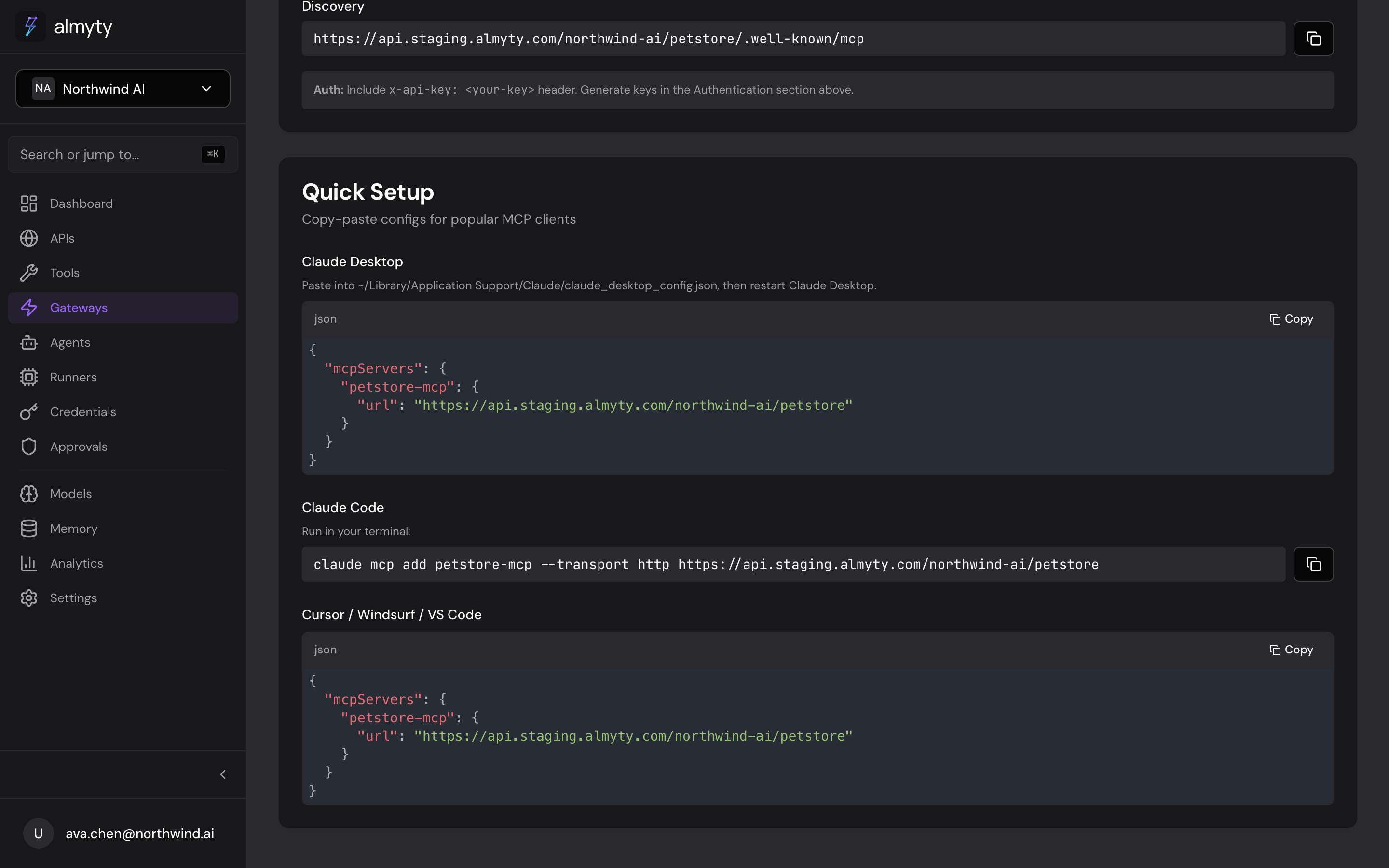
almyty generates the exact connect command for Claude Code, Claude Desktop, and Cursor - you copy-paste.
That is the whole loop. Everything Claude does through the gateway is authenticated, rate-limited, and written to the audit log - so you can give it real APIs without giving up control.
Then go further
Once your API is a gateway, you can build agents on top of it - autonomous agents that mix models, verify their own work, and remember across runs - and call them from the same MCP endpoint.