
Build the agent.
Deliver the experience.
A client needs somewhere their users can ask, act and get a useful answer. Build the agent behind that experience, connect the systems it needs, and give it a chat people can open.
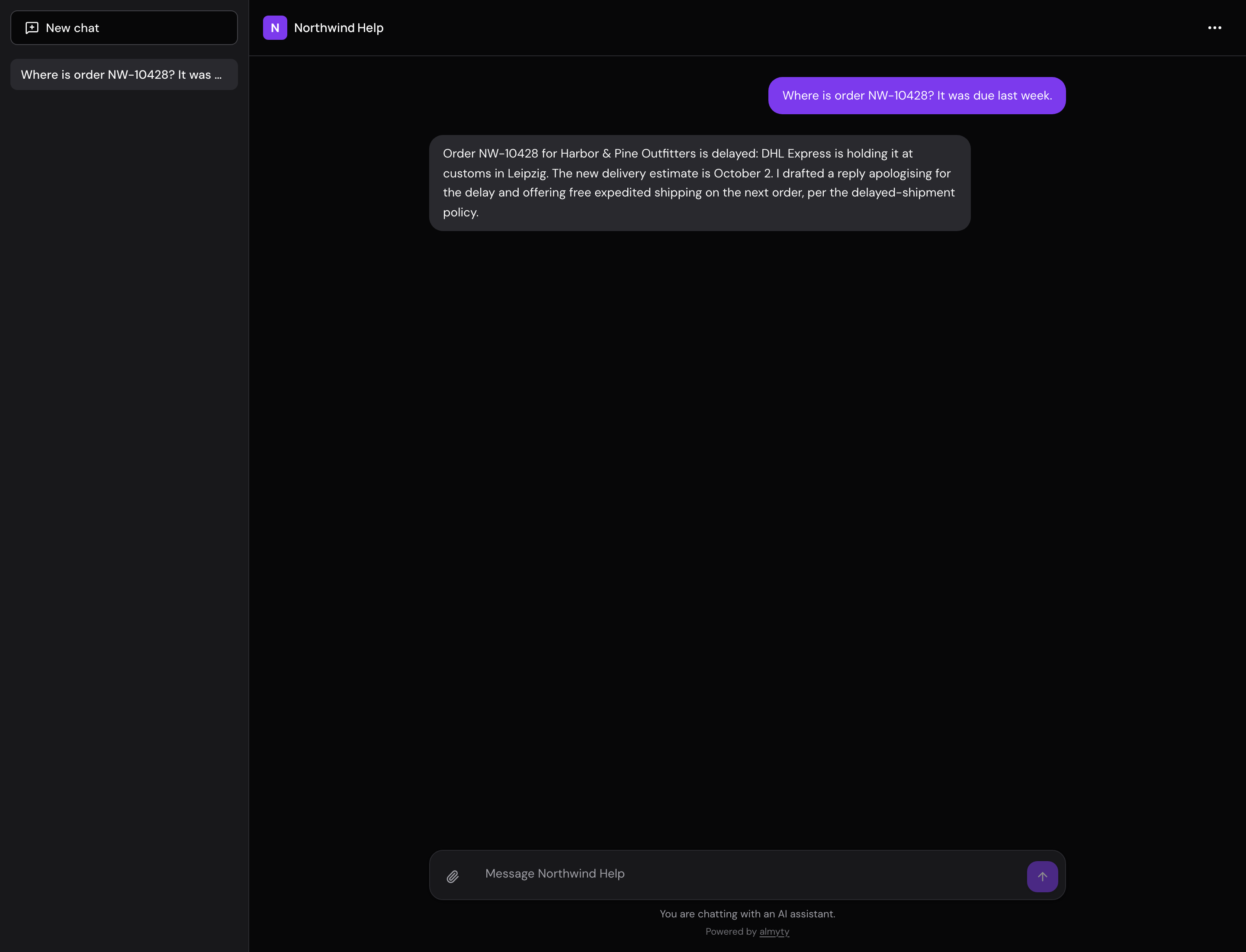
From brief to something usable
Think beyond the first answer.
The work includes the agent, the place people use it, and the way your client will operate it after launch.
The behavior
Define what the agent helps with, what tools it can call and what to do at the edge of its job. Add memory and answer checks where they belong.
The visitor experience
Set the chat name, colours, greeting and suggested prompts. Publish a web chat or add a widget to the client website.
The operating setup
Agree which organization and accounts hold the agent, who maintains connections, and who reviews runs, limits and visitor data.
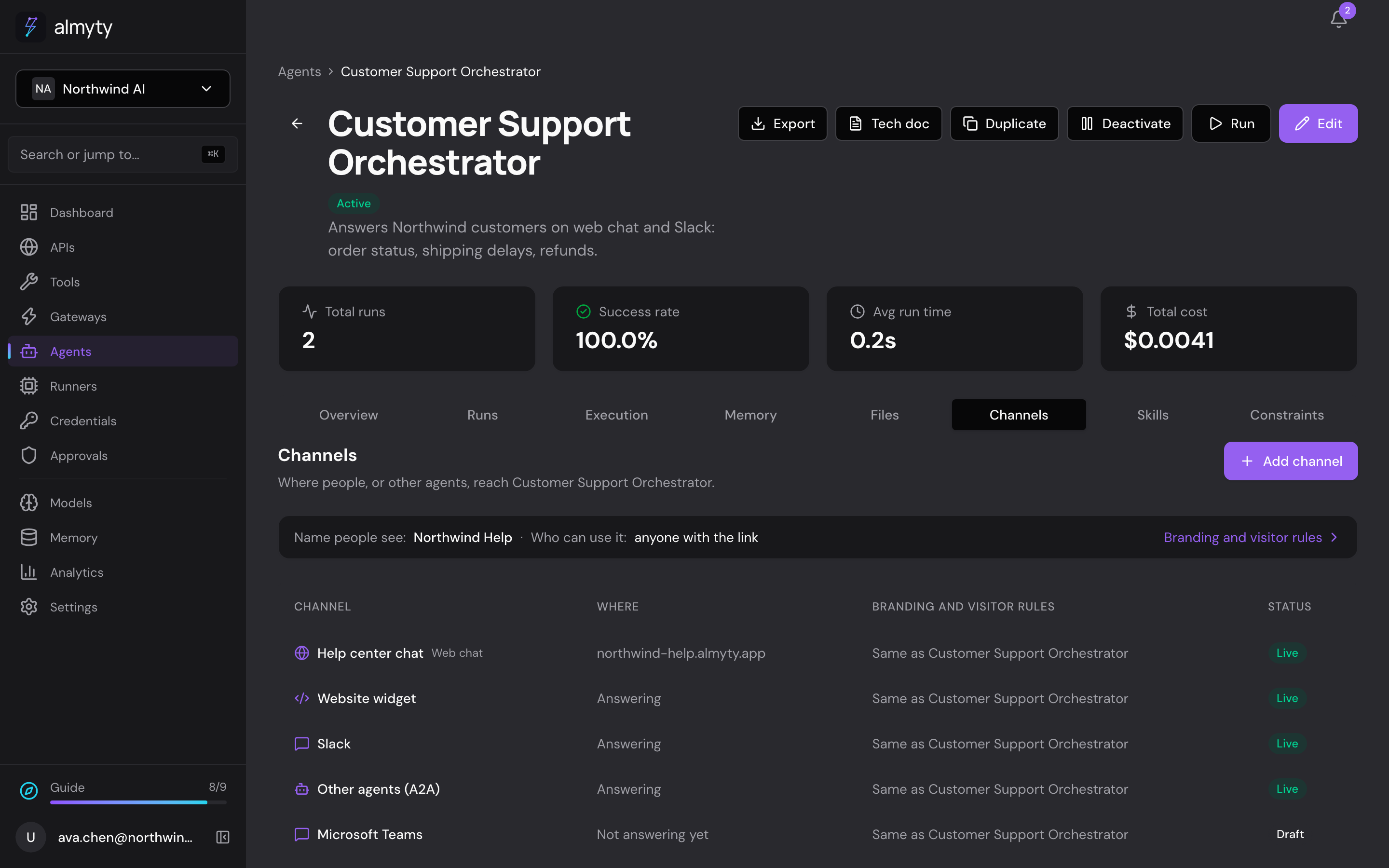
The delivery surface
Meet visitors where they already are.
A hosted chat gives the agent an address you can share. A widget brings it into an existing site. For a custom application, use the agent API and build the interface around it.
The visitor sees the conversation. The builder can inspect the runs behind it. Keep those two experiences clear when designing the handover.
Read the publishing guideMake the delivery clear
Agree on what happens after launch.
- Who owns and operates it?
- Use a separate organization for each client. Agree who owns credentials, pays model costs and keeps the service running.
- Who can change and review it?
- Set the roles and access needed for builders, client administrators and reviewers. Test the permissions in the intended setup.
- What do visitors see?
- Names, colours and greetings shape the chat. Removing the almyty mark is an Enterprise option.
- How will it be maintained?
- Agree how to update tools and instructions, inspect failed runs, review costs and handle visitor-data requests.
Start with one client brief.
Build a working version, try it as a visitor, then work through how your client will operate it.