Connect, build, and put it where people are
Three steps take you from the software you already run to an assistant your customers or colleagues can talk to.
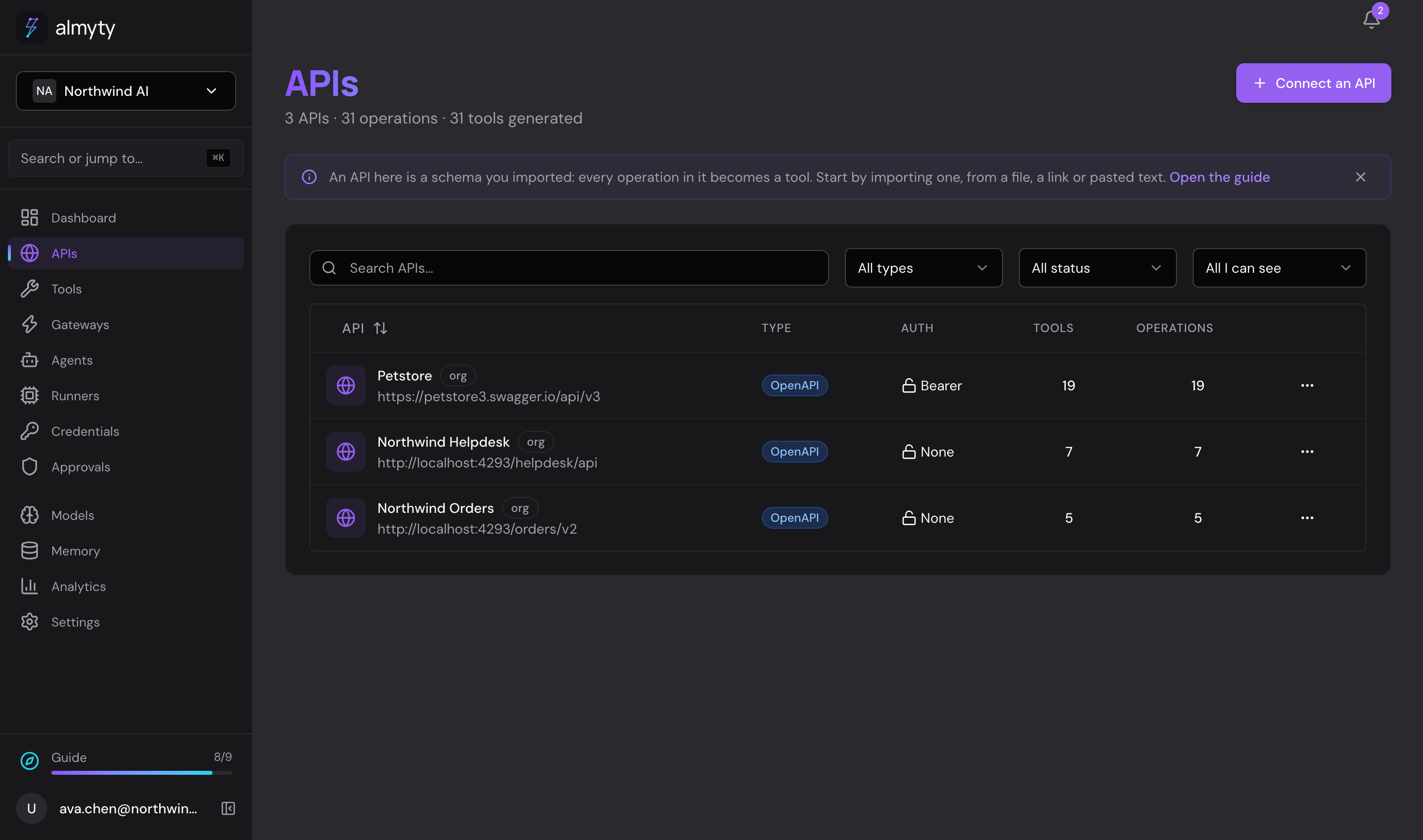
Connect your systems
Start with the software you already use: your order system, your customer records, your helpdesk, your shop. Most business software can be connected.
almyty reads what each system can do and turns it into a list of actions, like "look up an order", "update a customer" or "issue a refund". You do not write any code.
For the first connection you need a link to the system's description and a key to use it. Your IT team or the software vendor can give you both.
Build an assistant
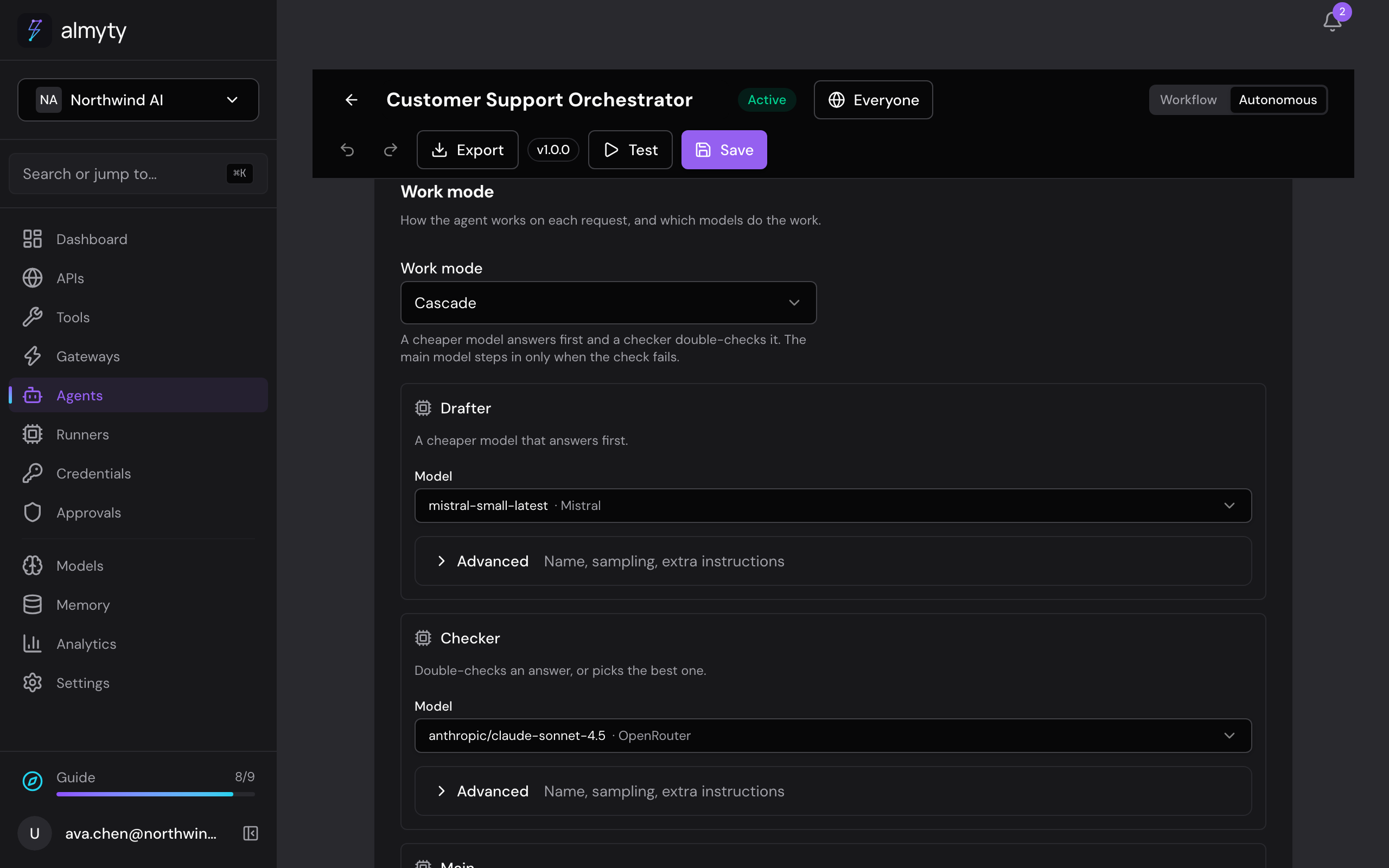
Describe the job in plain words and choose which actions the assistant may use. It works out the steps by itself. If you want every step fixed, lay them out on a canvas instead.
Pick any AI model: OpenAI, Anthropic, Google, Mistral, or an open model you run yourself. Switch whenever you like. You can also mix them, for example a cheaper model that answers first and a stronger one that double-checks.
In the app, assistants are called agents.
Put it where people are
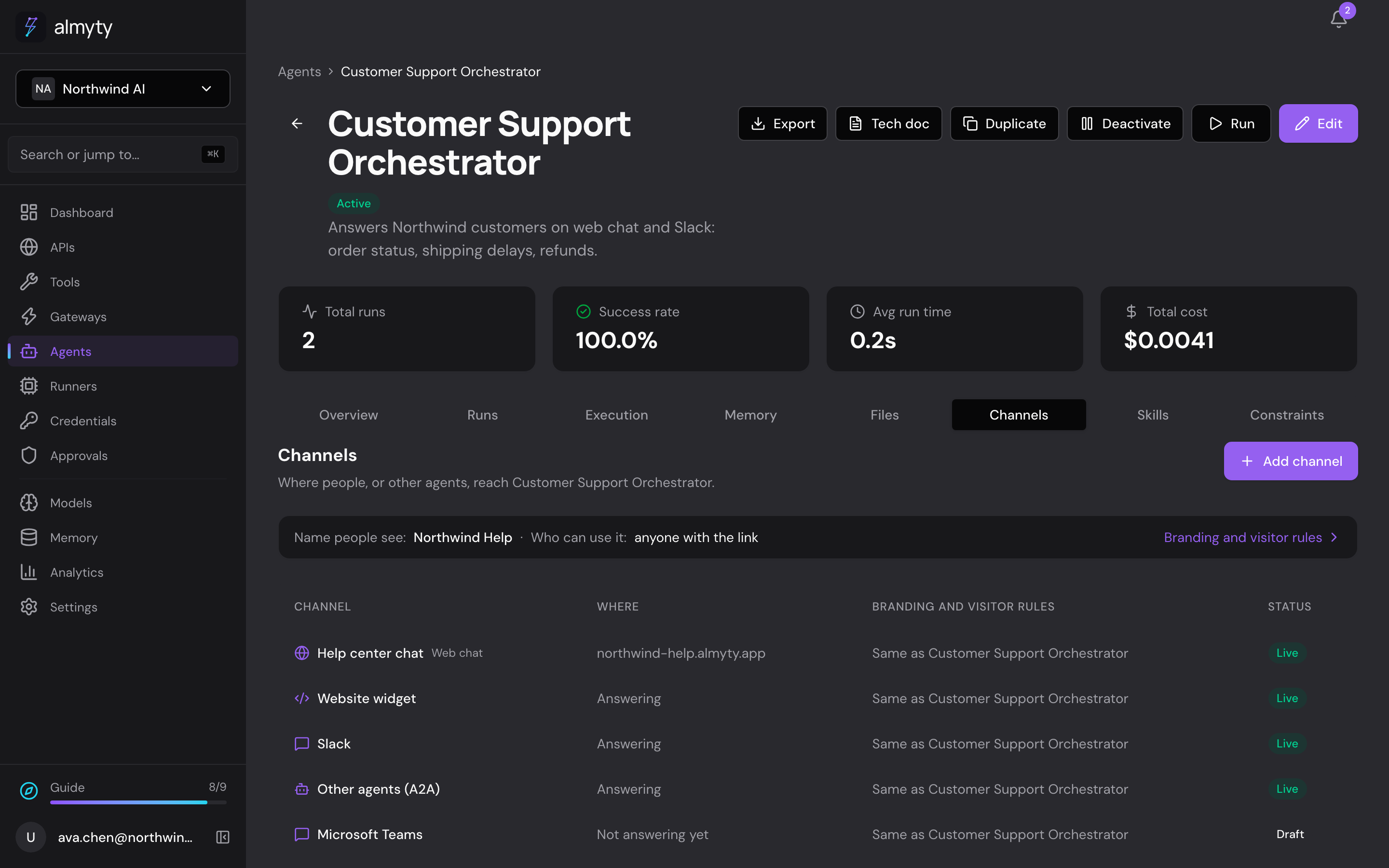
One assistant can answer in many places at the same time. Your customers and colleagues keep using what they already use.
- A chat page with its own address, and a chat bubble on your website
- Slack, Microsoft Teams, WhatsApp, email, SMS and iMessage
- A desktop or terminal app people can download
- Other AI tools your developers use
You set the name, colours and greeting once, and decide who can use it: anyone with the link, or only people who sign in.
Also built in
What else your assistants can do
See pictures and files
People can send a photo, a PDF or a document. The assistant reads it, and can reply with pictures and files of its own.
Remember what matters
Assistants can remember useful things between conversations, so nobody has to explain the same thing twice.
Work on a schedule
Not every job starts with a question. An assistant can run at a time you choose, like every day at 6:00, and send the result to a Slack channel.
Work on your own machines
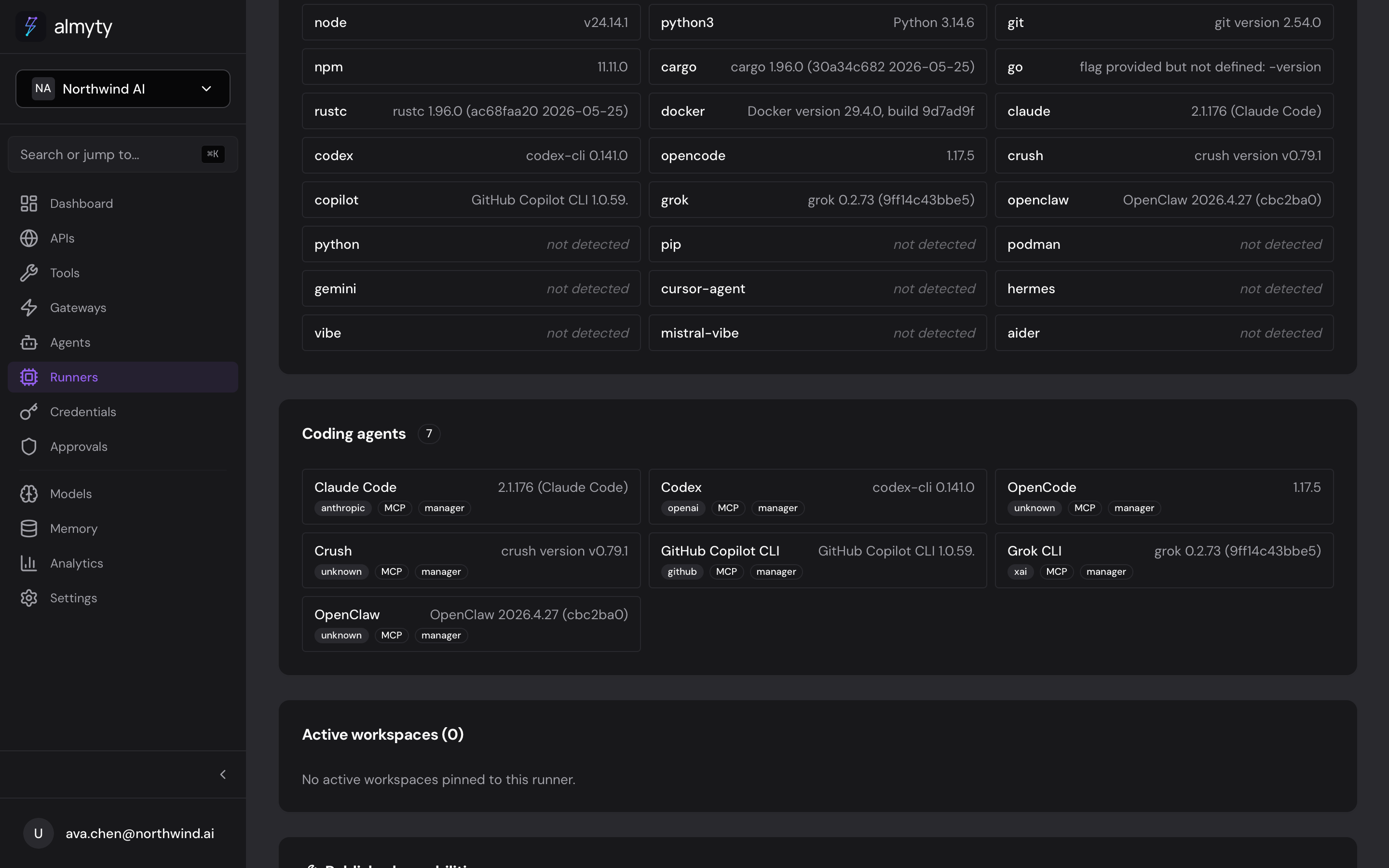
Install a small program called a runner on any computer you control. Assistants can then do work on that machine, within the limits you set.
Runners: work on any machine, safely
Some work has to happen on a particular computer: a server in your office, a build machine, a laptop. A runner connects that machine to almyty. You decide who may use it (only you, your team, or the whole company), which folders it may work in, and what it may never run.
The work happens on that machine, and the results go back to the assistant that asked for them.
See it with your own work
Pick one job your team does every day. The examples show how others set it up.