
Agents that act.
People who decide.
An agent that calls your services on a schedule, or answers anyone with a link, needs clear limits. Here is what you can set, what each control does, and where its limits are.
Approval before an action
A person signs off before the call goes out.
Add a rule to a tool with a numeric input, such as an amount, a quantity or a number of days. In the demo workspace a rule called "Long forecasts" holds any forecast request for more than 7 days until someone approves it. Calls under the limit go through on their own, and the rule applies whatever the agent was told.
A single approver is part of every plan. Approval by several people, or in several steps, is a Business capability.
Read how approvals work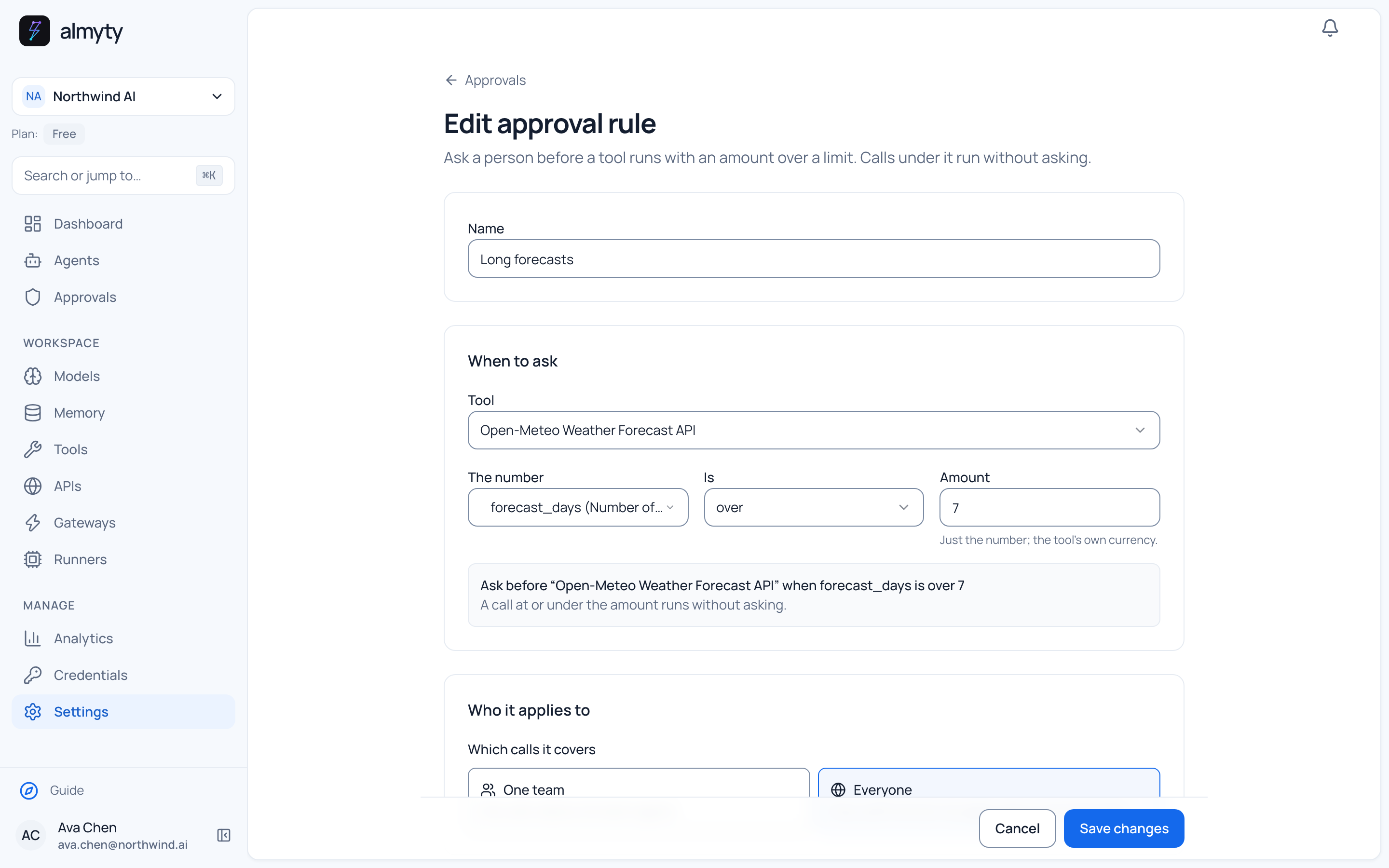
Optional answer check
A second model reads the answer first.
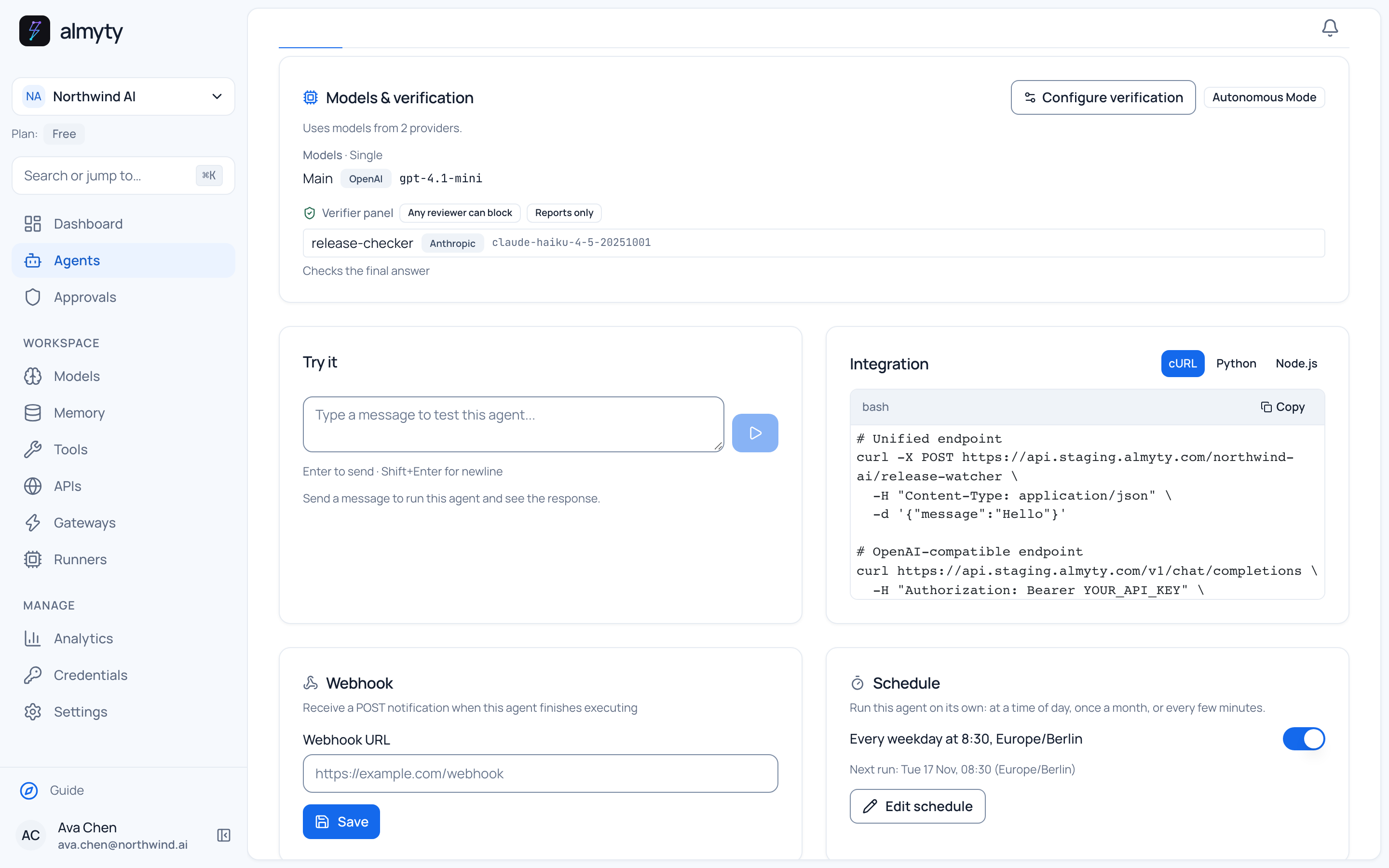
The check is off until you turn it on for an agent. A second model, which can come from another provider, compares the answer with what the tools returned. By default it only reports: the answer still goes out, with the notes at the top.
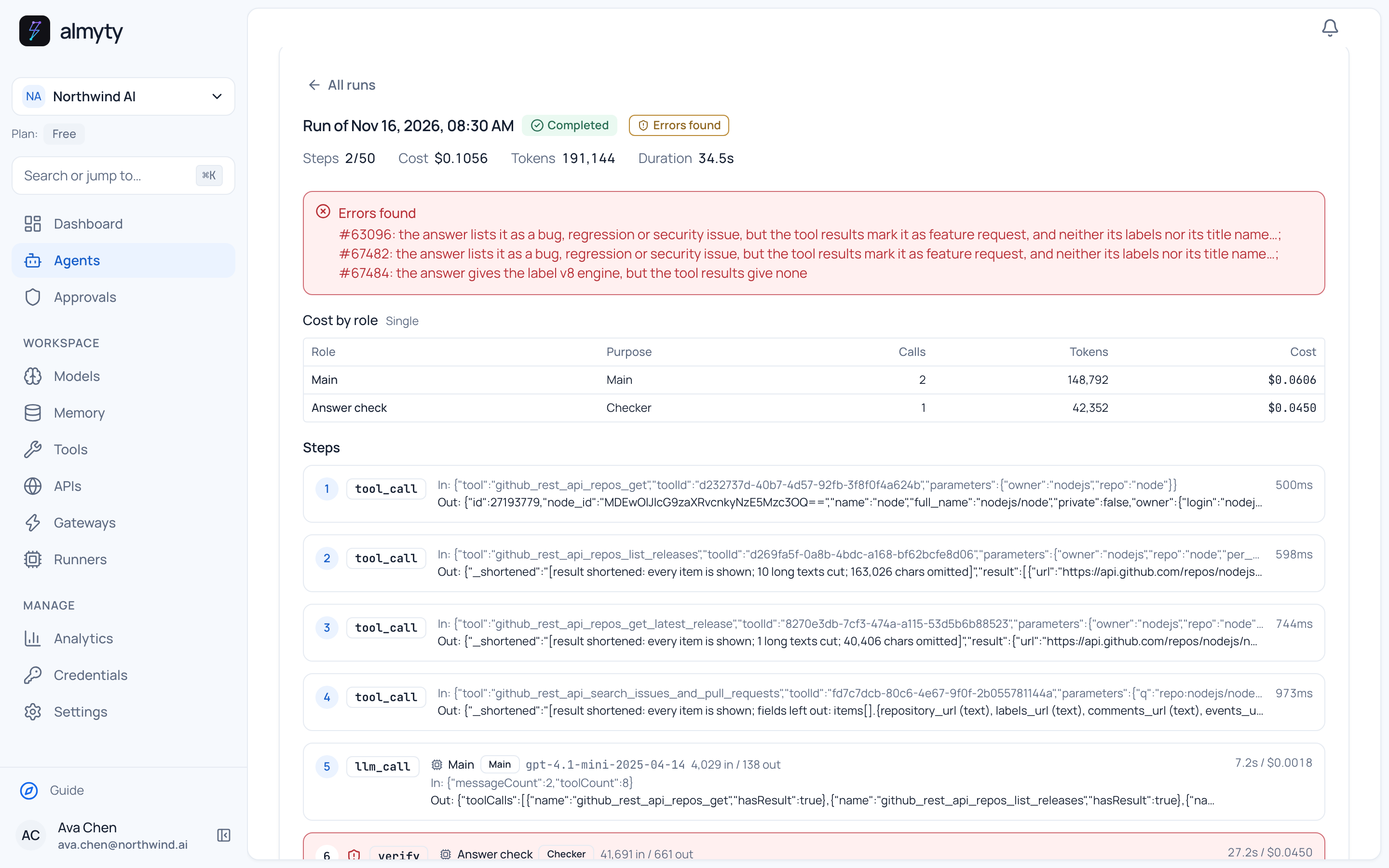
On 16 November the demo release report listed two feature requests as bugs, and its check said so in the first line. A check can catch mistakes like that. It does not prove an answer is right, and it is separate from approval for actions.
Included in the product
The everyday controls.
Set them per agent, per channel or for the whole organization.
- Credentials in one place
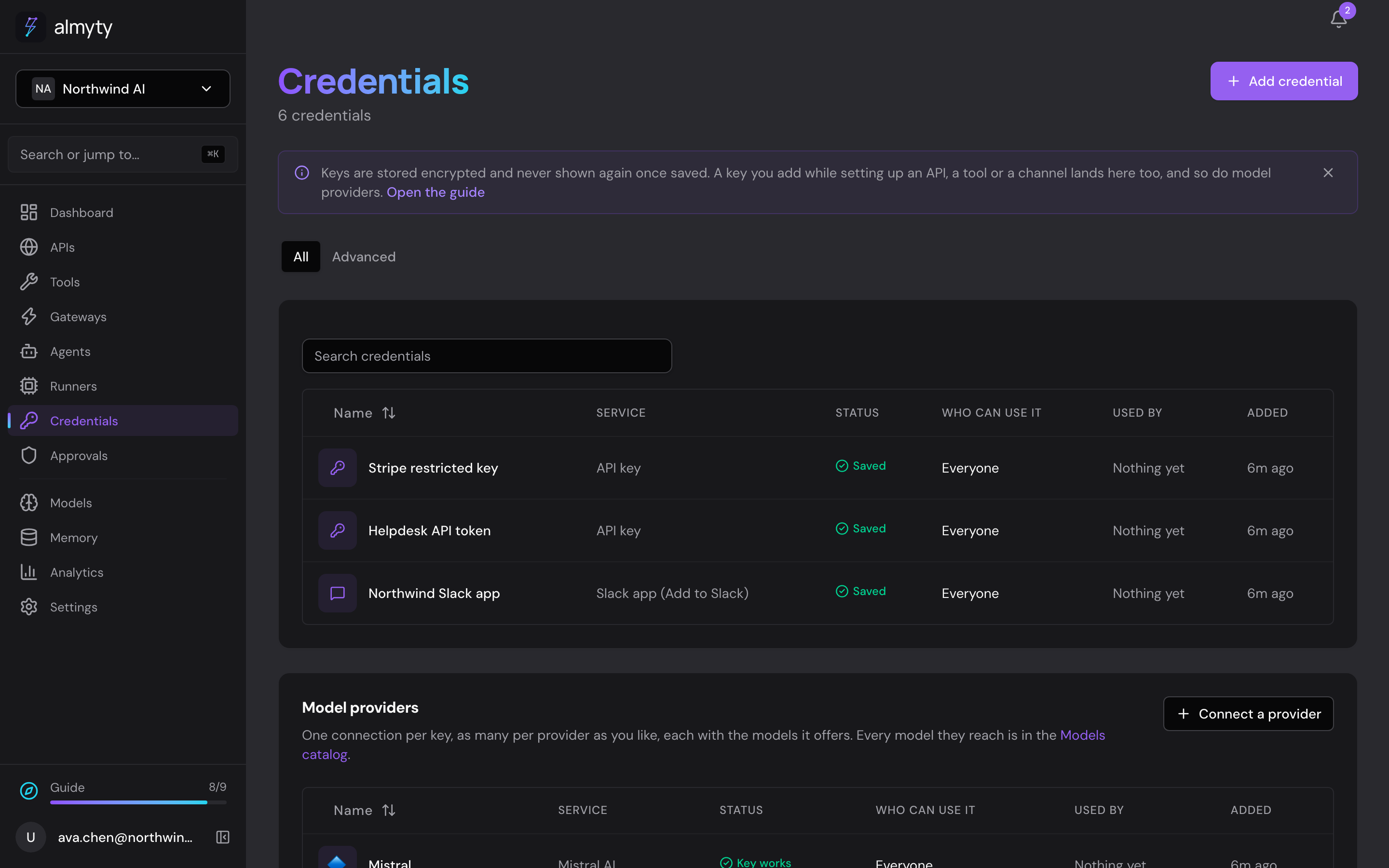
- Keys and passwords for your services and model providers are stored encrypted, with a list of who may use each one and what uses it.
- Access by person and team
- An agent, a connection or a key can stay private to you, be shared with a team, or be shared with the whole organization.
- Spending limits
- Cap what a single run may cost, and set daily or monthly budgets that either stop new runs or warn you.
- Limits for visitors
- On a public chat, cap messages per visitor and per address each hour, and how long conversations are kept. Visitors can download or delete their own chats unless you turn that off.
- An audit record
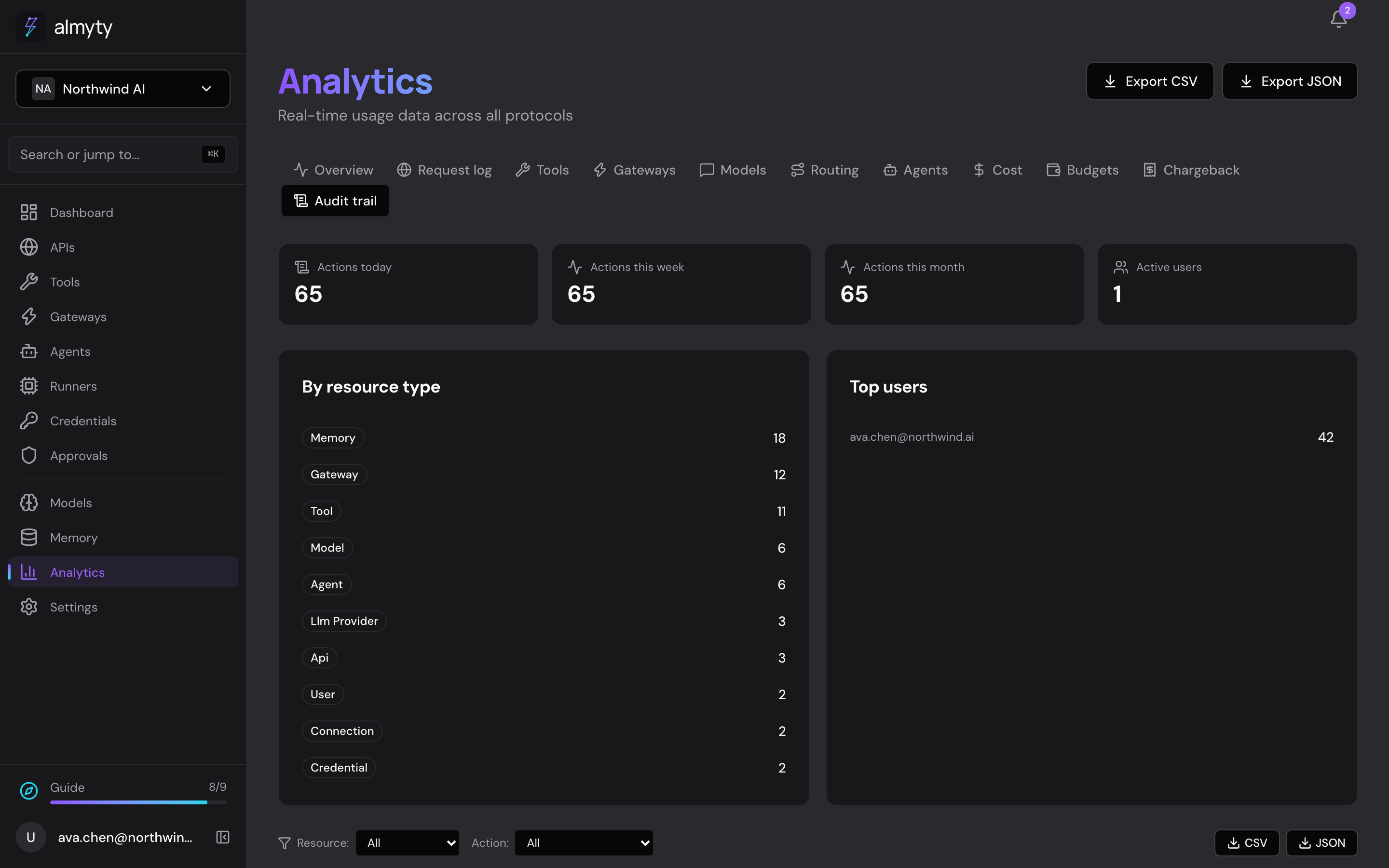
- See who changed what, and every step each run took, which tools it called and what it cost.
- A notice that it is an AI
- Every channel tells people they are talking to an AI. The notice is on by default.
Stored credentials
One list of every key, with who may use it and what uses it.
The audit record
Filter by what changed and by kind of action.
Where it runs
Run it on your own servers.
The core of almyty is open source under Apache 2.0. Self-hosting changes who runs it. Model providers and services you connect still receive what an agent sends them, unless you also run those yourself.
Paid plans add company sign-in, approval by several people, bulk audit export to your security tools and, on Enterprise, your own encryption keys. The licensing documentation lists what each edition includes.
Questions from your security team?
We can walk your IT or security team through how almyty handles data, keys and access.