Your APIs in your coding tools, and jobs on your own machines
Use your company's APIs from Claude Code, Cursor or any MCP client, and let assistants run jobs on machines you control.
Who it is for
Developers and platform teams. This is the technical path: the other use cases do not need any of it.
What it does, in one story
Your internal systems, inside the tools you code with
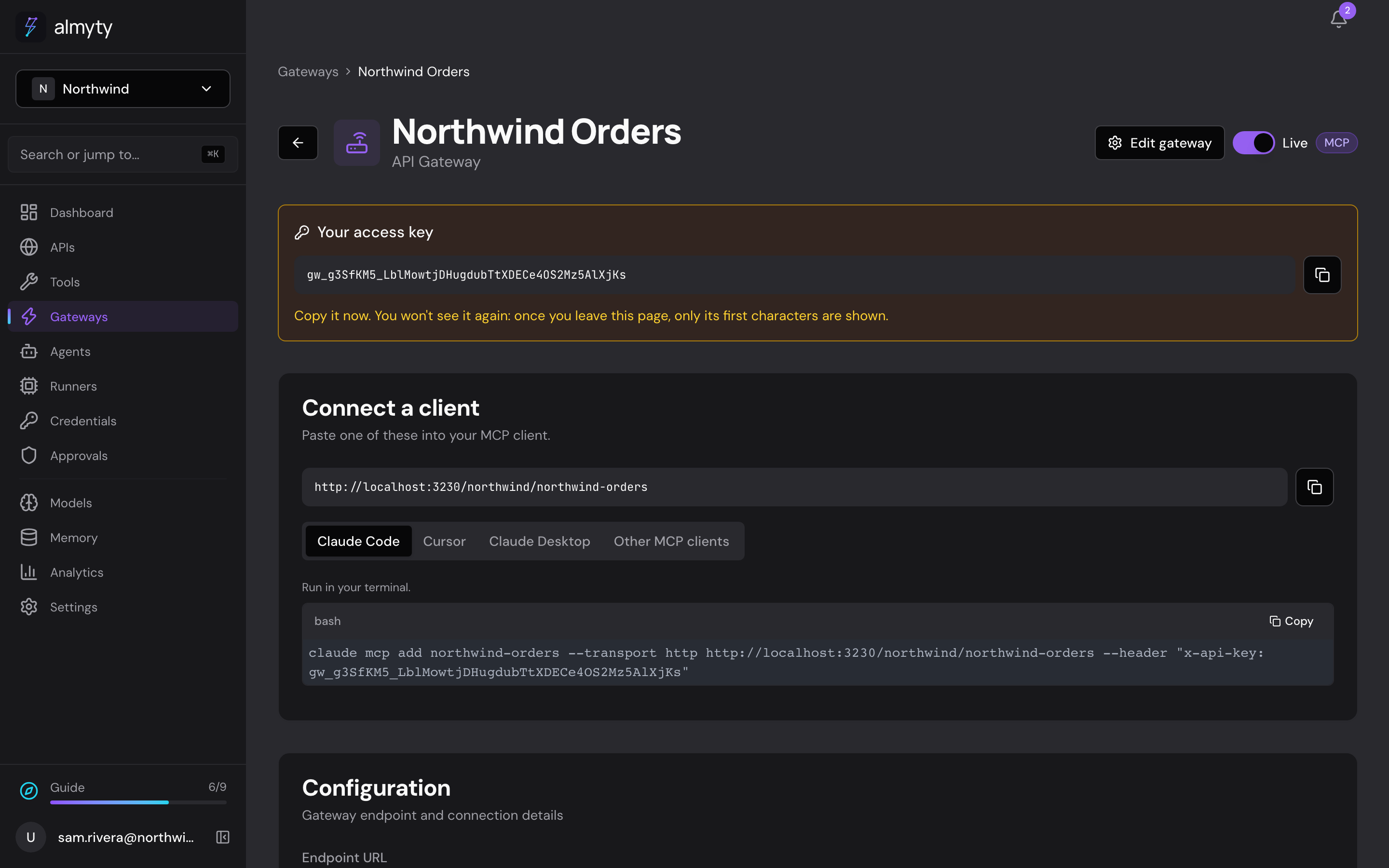
You connect your orders API once and publish it on a gateway. The gateway page gives you a ready-made command for Claude Code, Cursor or Claude Desktop. Now you ask "What is the status of order NW-10428?" in your editor, and it calls your API.
Then you start a runner on your build server. An assistant that needs a Linux machine sends its work there: build a branch, run the tests, collect a log, and report back. You decide who may use the runner, and what it may and may not run.
What the assistant does
- Turns an OpenAPI, GraphQL, SOAP or gRPC description, or an npm package, into tools
- Serves them to coding assistants over MCP, or as Agent Skills or UTCP
- Runs jobs on any machine you control, matched by labels like os=linux
- Answers on an OpenAI-compatible API, and from a command line tool
What you need
- An API connected in almyty
- A coding assistant that speaks MCP, such as Claude Code or Cursor
- For a runner: a machine with Node.js where you can install a package
How to set it up
- 1
Publish your API's tools
Create an MCP gateway for the API. Copy its key and the ready-made setup.
- 2
Add it to your coding tool
For Claude Code it is one command. Every call shows up in Analytics.
- 3
Start a runner
Three commands on the machine, then let an agent send work there by label.
The full guide walks through every click, with pictures, in the docs.
More things you can do
Customer support
Answer customers, day and night
Answers questions about orders and refunds on your website, WhatsApp and email, using your own order system, and asks a person before large refunds.
See how it worksSales
Walk into every call prepared
Briefs your account managers before a call and saves their notes after it, right inside Slack.
See how it worksMarketing
A product chat for your website and campaigns
Answers visitors' product questions from your own help center, on your website, landing pages, emails and ads, with a daily spending cap.
See how it works