
What this week's exchange rates did to your invoices
Takes your open invoices in other currencies, gets the European Central Bank rates for today and a week ago, and shows the change in euros, invoice by invoice.
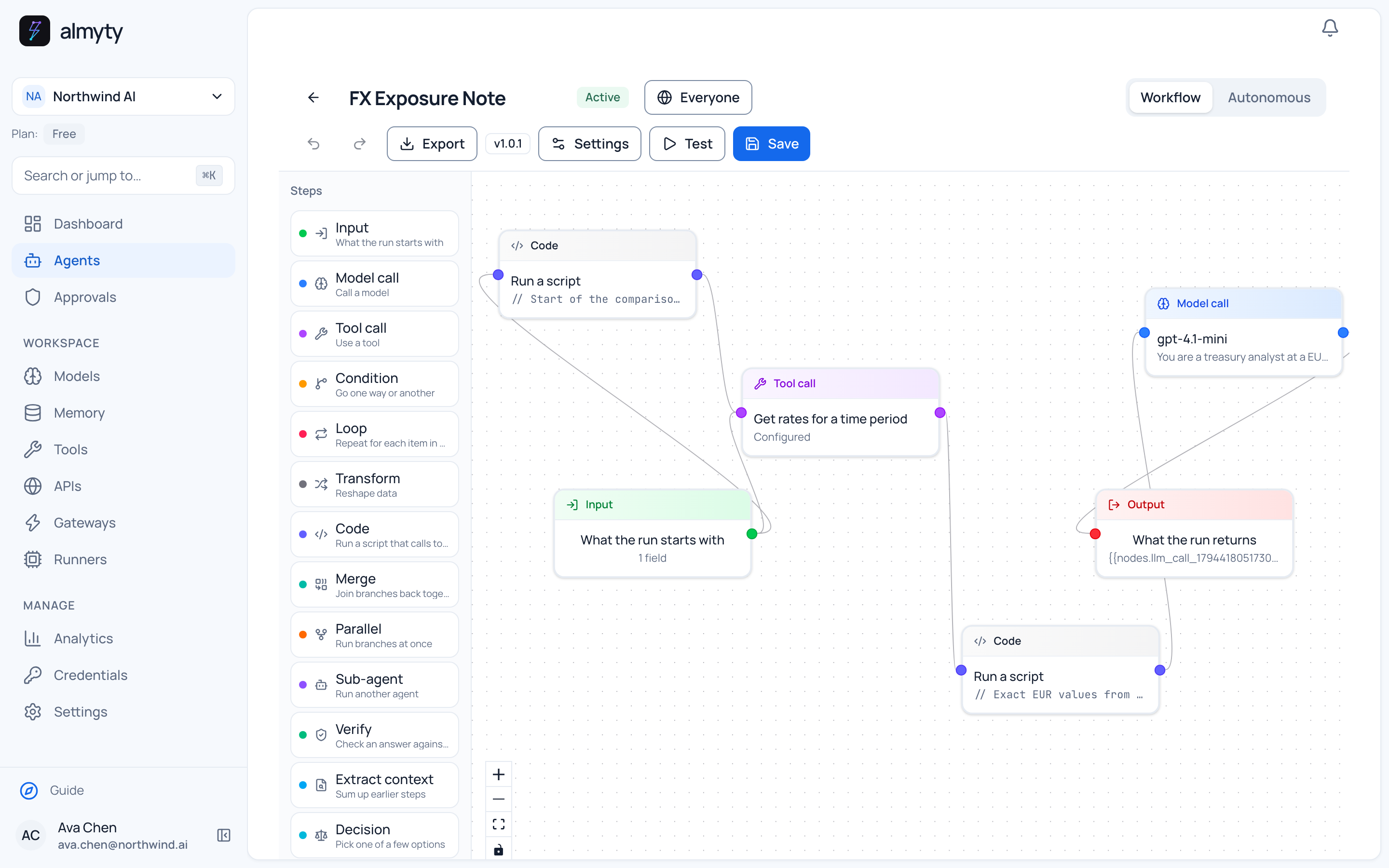
One recorded run
Down 2,694 euros in a week, in one table
Who it is for
Finance teams who invoice customers in other currencies and report in euros.
On 11 November someone in finance pasted five open invoices: in Swedish, Norwegian and Czech crowns, Australian dollars and US dollars. The agent got the exchange rates for the past eight days in one call and worked out each invoice in euros on 11 November and on 4 November.
Together the five were worth 342,197.34 euros, 2,694.17 less than a week before. The Norwegian invoice lost the most, 2.05% or 1,261.34 euros, and the US dollar invoice gained 1.26%. The sums come from a fixed calculation step, not from the model; the model writes the table and a line about each invoice that moved.
Recorded once in the staging demo workspace against public APIs. The numbers are copied from that run; another run, other data or another model can give a different result.
What the agent does
- Reads the invoice number, currency and amount from a pasted list
- Gets the reference exchange rates once per run
- Works out every invoice in euros, today and a week ago, in a fixed calculation step
- Comments on each invoice that moved more than 0.5%
What you need
- Your open invoices with currency and amount, copied from your accounting software
- An AI model connected in almyty
- Nothing else: the exchange rate service is public and free
Set up your own
Three steps to a version of this.
The docs walk through an agent of this kind step by step. It is a guide to the pattern, not a copy of this exact agent.
Read the guideConnect the exchange rate service
Paste the link to its API description.
Lay out the steps
This one is a workflow: the same steps every time. Pick the dates, get the rates, calculate, write the note.
Paste your invoices
Run it whenever you need the numbers, or before every month-end.
Keep exploring
Other recorded examples.
Operations
A weather brief for every site
Checks the three-day forecast for each of your sites, warns about heavy rain, strong gusts and hard frost, and lists any active US weather alerts.
Research
New papers on your topic, every weekday morning
Every weekday at 8:00 it searches a public index of research papers for your topic, skips the ones it already reported, and lists the rest with a line on why each matters.
Engineering
What changed upstream, before stand-up
Every weekday at 8:30 it checks a public code project your team builds on, for new releases and for open issues that look like bugs or security problems.
Start with a job like this one.
Connect the service, describe the result you want and check the first run yourself.