Answer customers, day and night
Answers questions about orders and refunds on your website, WhatsApp and email, using your own order system, and asks a person before large refunds.
Who it is for
Support teams who answer the same questions all day, and want to spend their time on the cases that need a person.
What it does, in one story
A late parcel, sorted in a minute
At 11pm a customer opens the chat on your website and asks where their order is. The assistant looks the order up in your order system, sees that the courier is holding it at customs, and tells the customer the new delivery date.
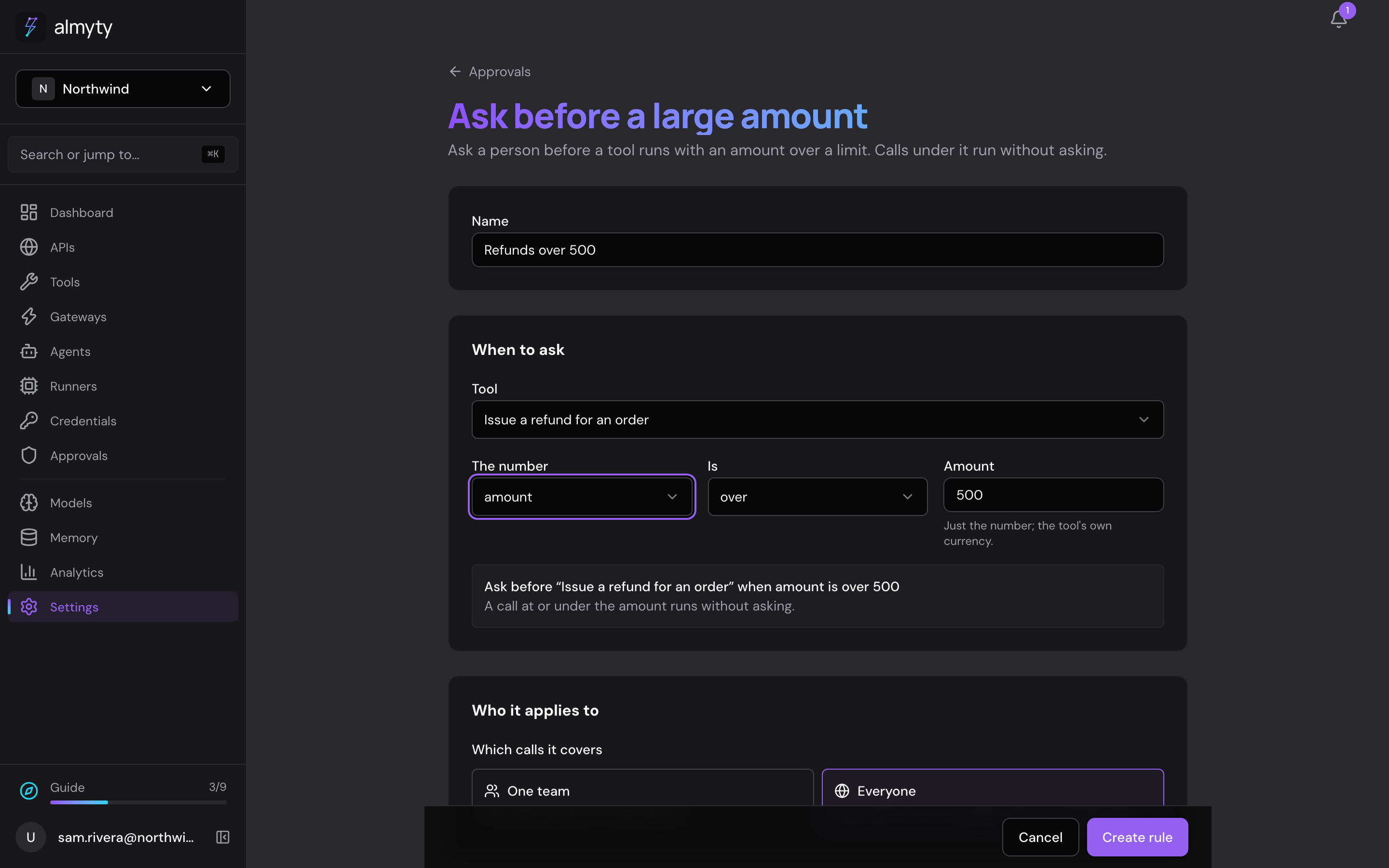
Another customer asks for an $820 refund on a broken item. You set a rule: ask before refunds over $500. So the assistant does not make the refund yet. It tells the customer a person will confirm it, and the request waits on your Approvals page. In the morning someone on the team clicks Approve, and only then is the refund made.
What the assistant does
- Looks up orders and deliveries in your own order system
- Refunds small amounts on its own, and asks a person before refunds over the limit you set
- Answers in the same voice on a chat page, your website, WhatsApp and email
- Reads photos and files customers send, like a picture of a damaged item
What you need
- The description of your order system's API, a file or link your IT team or the system's settings can give you
- A key for an AI model, for example from OpenAI
- For WhatsApp, a Twilio account; for email, a Resend account (both optional, you can add them later)
How to set it up
- 1
Connect your order system
almyty reads what it can do, like "get an order" or "issue a refund".
- 2
Build the assistant, and add a rule
Describe the job in plain words, then add a rule: "Ask before refunds over $500".
- 3
Put it where customers are
A chat page, a chat bubble on your website, then WhatsApp and email.
The full guide walks through every click, with pictures, in the docs.
More things you can do
Sales
Walk into every call prepared
Briefs your account managers before a call and saves their notes after it, right inside Slack.
See how it worksMarketing
A product chat for your website and campaigns
Answers visitors' product questions from your own help center, on your website, landing pages, emails and ads, with a daily spending cap.
See how it worksOperations
A morning report on all your systems
Checks your systems every night and posts a short report to your team's Slack channel, leading with what needs attention.
See how it works