A product chat for your website and campaigns
Answers visitors' product questions from your own help center, on your website, landing pages, emails and ads, with a daily spending cap.
Who it is for
Marketing teams who want visitors to get good answers on every page and campaign, without a surprise bill.
What it does, in one story
The right answer, from your own docs
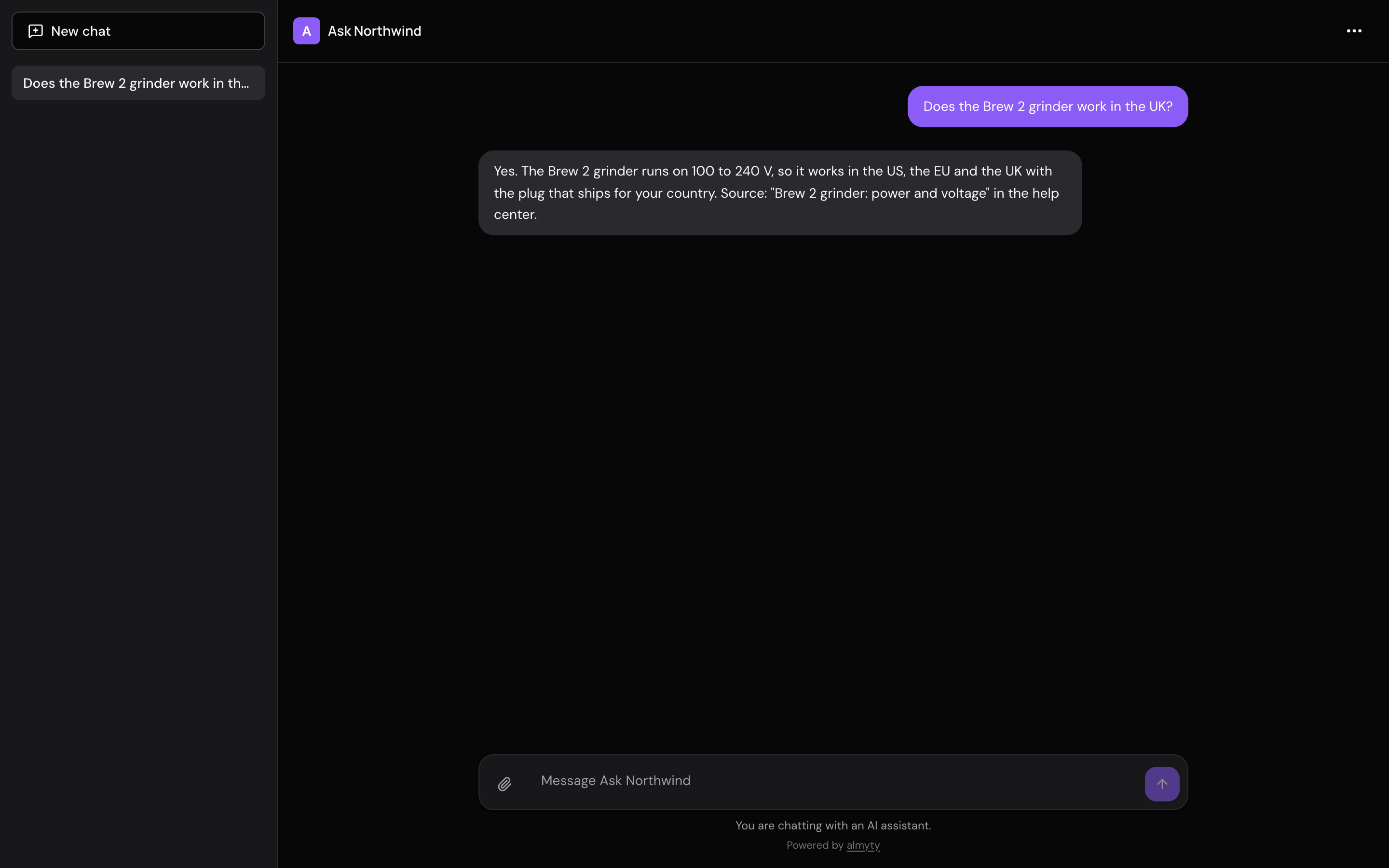
A visitor on your campaign page asks the chat bubble: "Does the Brew 2 grinder work in the UK?" The assistant searches your help center, finds the article on power and voltage, and answers from it, naming the article. If your docs do not cover a question, it says so and points to your contact page instead of guessing.
The campaign goes well and the chat gets busy. You set a daily spending cap and a limit on messages per visitor, so a busy day can never run up a surprise bill. For emails, ads and social posts, the same assistant has a chat page with its own link.
What the assistant does
- Answers only from your help center or documentation, and says where the answer came from
- Sits on your website and landing pages as a chat bubble, and on a chat page with its own link
- Stays within a spending cap per answer, per day and per month
- Limits how many messages one visitor can send in an hour
What you need
- A way for the assistant to read your documentation: most help-center tools have an API, ask whoever runs yours for the link
- An AI model connected in almyty (a low-cost model is plenty)
- Someone who can paste one line into your website
How to set it up
- 1
Connect your help center
almyty reads what it can do: search the docs, and read one article.
- 2
Build the assistant and set caps
Tell it to answer only from your docs, then set a daily spending cap.
- 3
Put it on your site and campaigns
Add the chat bubble to your website, and share the chat page link anywhere else.
The full guide walks through every click, with pictures, in the docs.
More things you can do
Customer support
Answer customers, day and night
Answers questions about orders and refunds on your website, WhatsApp and email, using your own order system, and asks a person before large refunds.
See how it worksSales
Walk into every call prepared
Briefs your account managers before a call and saves their notes after it, right inside Slack.
See how it worksOperations
A morning report on all your systems
Checks your systems every night and posts a short report to your team's Slack channel, leading with what needs attention.
See how it works